Guided Form creation
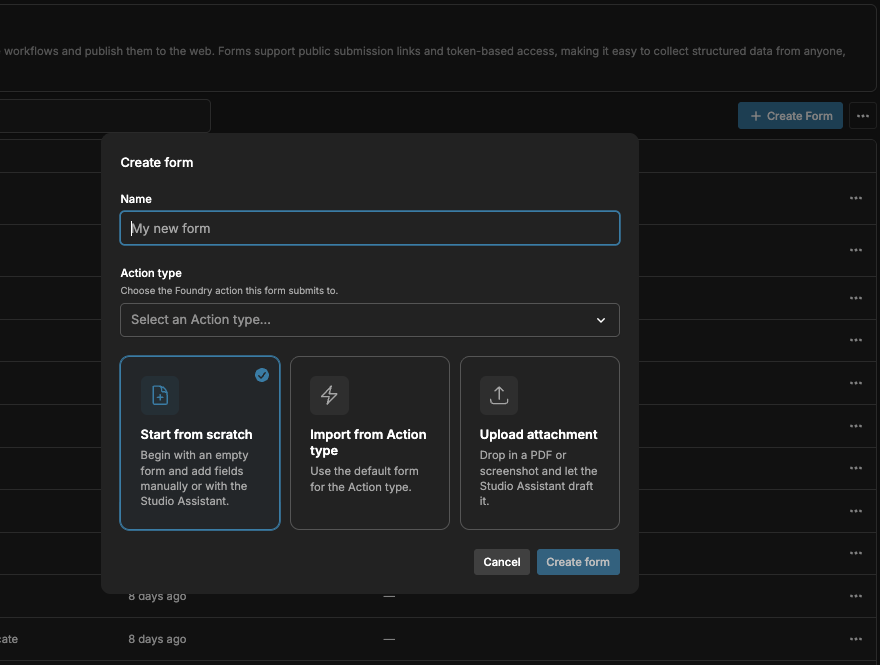
We added rails for new Form creation. Users can now start from scratch, import the default form from a Foundry Action type, or kick off a Studio Assistant prompt with an attachment. Importing the default form from a Foundry Action type will respect the layout settings of the form in Foundry (sections, conditional rendering, etc).
Trash for Forms and Workspaces
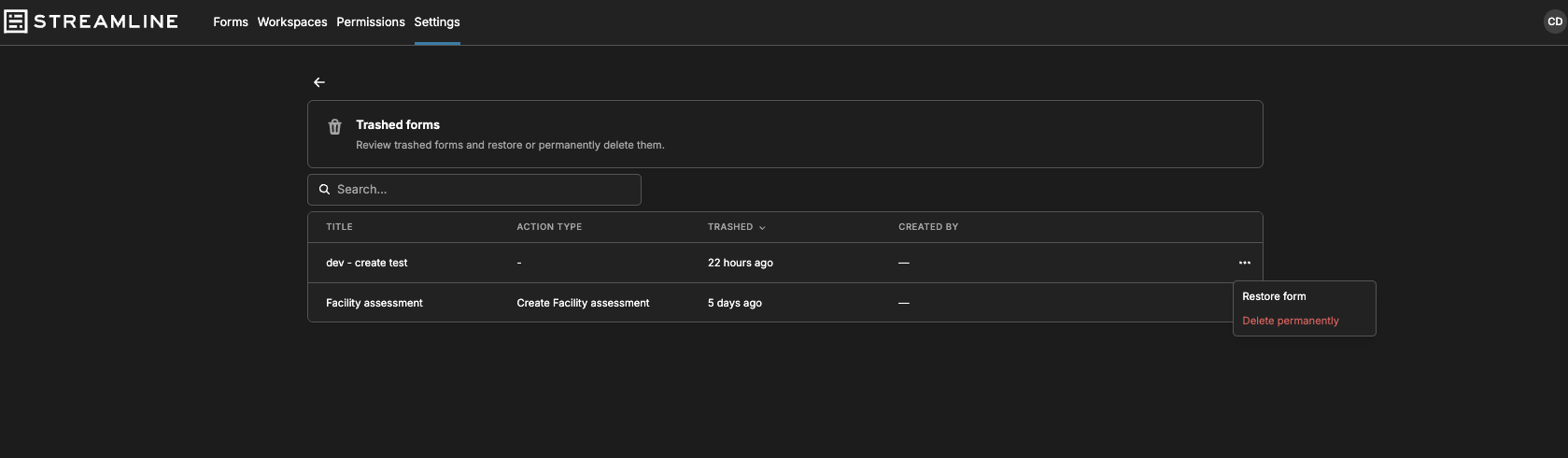
Forms and Workspaces are now moved to trash on delete, and can be either restored or permanently deleted from the trash page.
Copy/paste for form layouts
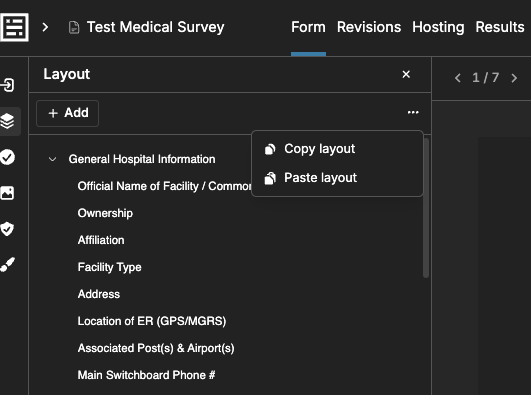
Users can now copy and paste form layouts across Forms and Workspaces. If the Action type or parameters don’t match, the user will be notified but not blocked from pasting into the target destination.
Improvements/fixes
- Added alert for when Forms and Workspaces have active edits that aren’t in the latest revision, and supports discarding those edits
- Improved drag-and-drop UI in the form editor
- Improved loading states when navigating Streamline Studio
- Form/Workspace tables now surface creator
- Added click-to-edit for titles, labels, and markdown in the form editor
- Fixed persistence for vision queries in Studio Assistant
- Added label fields to page elements so users can remove the title and still see a label in the form editor layout tool